How to Track Construction Addendum Changes Before Bidding
To track construction addendum changes before bidding, record each notice as it arrives, identify the work affected, and tie each price or quantity update to the revised sheet or specification. Then check the final proposal for changes to scope, alternates, and bid instructions. The aim is to see which estimate lines changed and why, while keeping one version of the estimate that everyone agrees is ready to send.
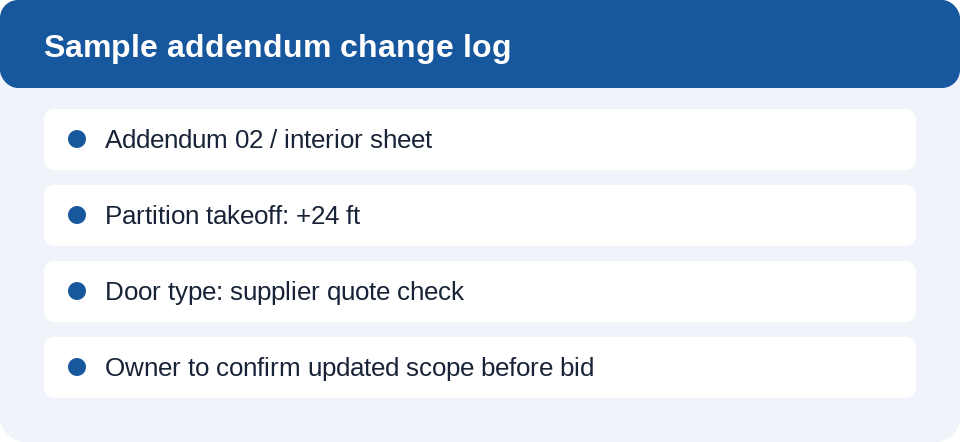
Set up a simple addendum log
Use one table with the number or name of the notice, date received, affected sheet or specification, estimate owner, and status. Use stable names for files and keep the changed sheets beside the original bid documents. Mark the current issue clearly so a reviewer does not reopen the earlier PDF while checking a quantity. If a notice moves the bid date or changes the way alternates are submitted, give that information a separate row so it doesn't get lost among quantity changes.
Example: a change with both quantity and scope effects
Imagine a revised interior sheet adds 24 feet of full-height partition and switches a pair of doors to a different type. The added partition changes the wall takeoff. The door revision might also affect the supplier's quote, hardware scope, and any trade exclusions in your proposal. Put the partition and door changes on separate rows. Give each an owner and record when the new quantities or vendor numbers are ready. One flag on a drawing set isn't enough to tell you whether both items were priced.
Update the changed takeoff with a traceable comparison
Record the old quantity and the new quantity and note where they came from. For a small change, the difference might be a single measurement. For a room that has been redrawn, you may need to redo the affected area and compare its total against the original. Mark anything that is still provisional because the dimensions or materials are unclear. That way a temporary allowance can't quietly become a confirmed quantity just because it made it into the estimate.
When the revision affects a PDF, reconfirm the measuring scale in the affected view. A sheet exported a second time could have different scaling or include details that were enlarged. The PDF drywall takeoff review guide has a straightforward approach to checking a printed dimension and cross-checking with another known run. Use the same categories and measuring assumptions across both versions when you want a useful comparison.
Ask vendors which revision they priced
If a supplier quote arrived before the notice, ask the vendor to identify the current sheets or description their price covers. Highlight the exact change and ask whether price or lead time moves. Give the supplier enough information to tell you if the original number can stand. Record their answer with the quote, including the date or version. When an answer is pending close to bid time, flag it and decide how your own bid will handle that uncertainty.
Review both the price and the scope statement
Work through each open item before confirming the final total. Did the quote add a new line, remove an older one, or change a work condition? Are both the labor and material effects accounted for? Review scope notes and exclusions separately from the amount. A bid can carry the right cost but still describe the wrong work if the old scope wording was never revised.
Check bid instructions as their own step. Look for a new deadline, an addendum acknowledgement, updated pricing format, and changes to alternates. If several people are working on the bid, agree who owns the final file and when changes stop for review. Save the sent version as well as the supporting calculations so you'll have a reliable record if the job is awarded or there's a later question.
Put the next revision into your estimating workflow
Use the Construction Cost Estimator takeoff features to see where your plan review fits. Then open the takeoff workspace for the current drawing. Give the addendum one row in your log and connect the measured adjustment to the estimate line you'll actually send. When someone asks why the number moved, you'll be able to point to the revised document and the resulting work instead of reconstructing the bid from memory.